


ACCOUNT
Account and verification
See whether your phone verification is complete, update permitted profile fields and find the recovery route.
nabatibet puts Live Roulette Gold, Fruit Fiesta Reels, Crash Skyrise Arena and badminton markets behind one verified account, with DANA and QRIS visible beside the lobby.


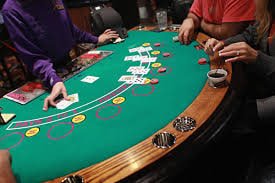
Casino slots come first, followed by live dealer tables, crash rounds, fishing rooms and sportsbook markets in one visual lobby.
Pragmatic Play, PG Soft and Habanero sit alongside other recognised studios, giving you direct category access through the casino and slots areas on Home.
DANA, OVO, GoPay and QRIS appear in the cashier reached from Home, alongside virtual account and bank transfer choices.
Some pages matter beyond a single game session, so Home keeps them close. You can move from account status to wallet checks, game categories, sportsbook markets and policy pages without relying on…



A clear account route is the first thing to check on our Home screen. Start with your phone number, complete the displayed verification step and then enter the…
Account and wallet questions are easier to trace when you start from the Home help area. Live chat handles immediate navigation, login and transaction-status questions when the channel is shown as available. Email suits cases that need a longer explanation or receipt attachment, while the mobile help route keeps the same account context on smaller screens. Before contacting us, note the transaction reference, selected rail and displayed status. Never send your password. Channel availability is shown inside the help area, so check the current service window there rather than relying on an old message.
Open chat from the help area when login, lobby navigation or wallet status stalls. Share the account reference and visible error wording, but keep your password private.
Use email when a case needs a receipt or a fuller timeline. Include the selected rail, transaction reference and current status so our team can trace the correct request.
The mobile help route sits near the cashier and account controls. It lets you move from a stalled screen to support without searching through unrelated game pages.
Your phone browser carries one route from Home to account access, casino categories, sportsbook and cashier status.
Account protection begins before the lobby opens. We ask you to complete the displayed phone verification step, and sensitive profile changes may require another confirmation.
Complete the phone confirmation shown during the account process. This links access to the details you supplied and provides a clear checkpoint before the full lobby opens.
Profile edits and recovery actions may trigger another confirmation. Read the prompt carefully and contact us if the requested action does not match something you started.
Use the Home navigation for the cashier, lobby and account area rather than following unknown links. The same route works across supported phone, tablet and desktop browsers.
Paytables, table conditions and category mechanics are presented with the relevant game. Check them before a round because rules can differ between studios and game types.
The Home page keeps current account, game and cashier routes in one place, which is more useful than relying on old screenshots, forwarded messages or offline directions.
Game behaviour differs by title and category, so Home sends you to the relevant game page before a round begins.

Read the title-specific return data, paytable and feature rules shown by the studio.
Check table rules, limits and result handling before joining a streamed dealer table.
Read the round mechanics and cash-out controls displayed inside the selected crash room.
Check shot values, target behaviour and room rules before starting a fishing session.
Use the displayed odds, market terms and settlement rules for each sports selection.
RTP percentages are informational reference values from provider documentation. Actual session outcomes vary.
Our Home experience is configured for Indonesia, including DANA, OVO, GoPay, QRIS and bank routes connected with BCA, BRI, Mandiri and BNI where available. You can reach the same browser-based lobby from Bandung or another supported location using a phone, tablet or desktop device. Availability is not a promise for every place or person: access depends on local law. Check the regional wording, account requirements and current cashier choices displayed to you before opening an account or sending a transaction request.
Six visible elements define how our Home page works for you. The first is a direct account path with phone verification.
These answers cover the questions you are most likely to ask before using the nabatibet Home page. They explain account entry, casino and sportsbook navigation, local wallet routes, supported devices, transaction checks and contact options. Details shown inside your account take priority because wallet availability and status can change by request. Keep your phone verification current, read game-specific rules and retain receipts for cashier questions. Regional access depends on local law, so check the current conditions linked from Home before you proceed.
Begin with the account area if you need phone verification, recovery or profile status. Use the lobby when you want slots, live tables, crash games, fishing rooms or sportsbook markets.
Use this route for phone verification, profile status and recovery prompts. Read every confirmation screen before submitting a change, especially when sensitive account details are involved.
Choose casino slots, live tables, crash, fishing or sportsbook from the category row. Search by title when you already know which game you want.
Select the local rail, enter only the requested details and wait for the displayed status to update. Keep provider receipts and avoid duplicating a pending request.
Contact live chat or email for account and wallet checks, then use footer links for terms, privacy wording and regional access conditions relevant to your use.